Smart Scheduling Solutions
Most practices use basic appointment booking, but advanced scheduling features are often overlooked. Look for patient self-scheduling portals that integrate with your existing calendar and waitlist automation that fills cancellations without staff intervention. Resource allocation tools can optimize room and equipment usage, while visit-type templates automatically allocate appropriate time slots based on the nature of the appointment.
The true power of modern scheduling systems lies in their ability to adapt to your specific practice workflow. Customizable appointment types can be configured to automatically assign appropriate resources, including specific providers, rooms, or equipment. This eliminates the common problem of double-booking limited resources and reduces the mental load on scheduling staff. Many systems also incorporate intelligent conflict detection that prevents scheduling errors before they occur, significantly decreasing the need for last-minute adjustments and the resulting patient frustration.
Some advanced EHR platforms now incorporate machine learning algorithms that analyze historical scheduling data to suggest optimal appointment distribution throughout the day. These systems can identify patterns that humans might miss, such as which appointment types commonly run over their allotted time or which providers consistently complete certain visits more quickly than anticipated.
Automated Intake Workflows
Beyond simple electronic forms, modern EHRs offer pre-visit questionnaires that update patient records automatically and insurance eligibility verification that runs in the background. Smart form logic adapts questions based on previous answers, and digital consent management includes automated renewal alerts. When patients complete these steps before arrival, check-in times decrease significantly, reducing waiting room congestion and improving the overall flow of the practice.
The most sophisticated intake systems now incorporate document scanning features that allow patients to photograph insurance cards and identification from home. These images are automatically processed, verified, and attached to the patient record before they arrive. Some systems can even extract relevant data from these documents using optical character recognition, eliminating manual data entry entirely. Demographic information validation prompts can be configured to appear regularly, ensuring patient contact information stays current without requiring staff to remember to ask. This seemingly small feature can dramatically improve billing success rates and reduce the number of returned mail pieces and failed communication attempts.

Communication Shortcuts
Streamline patient communication with templated responses for common patient inquiries and batch messaging for appointment reminders or practice updates. Secure messaging triage tools prioritize urgent communications, while auto-documentation captures all patient communications directly in their chart. These features can eliminate hours of weekly repetitive messaging tasks, freeing your staff to focus on more complex and meaningful patient interactions.
Some EHR systems now incorporate sentiment analysis to flag messages that may require special attention or a more empathetic response. This helps ensure that patients expressing concerns or frustrations receive appropriate follow-up. Communication analytics can track response times and highlight patterns when certain types of messages consistently take longer to address, allowing for targeted workflow improvements.
Multi-channel communication management integrates phone, email, patient portal, and text messaging into a single interface, creating a comprehensive record of all patient interactions regardless of medium. This prevents important information from being siloed within a specific communication channel and gives staff full context when responding to inquiries.
Financial Management Tools
Many EHRs include underutilized billing features, such as patient payment estimation tools that improve collection rates and automated claim scrubbing to reduce rejections. Payment plan management systems require minimal oversight, and recurring payment processing simplifies subscription-based care models. These tools and practices report improved cash flow and reduced billing department workload, creating a more sustainable financial operation.
Newer systems' real-time adjudication capabilities allow practices to determine patient responsibility before the patient leaves the office, dramatically improving point-of-service collections. Integrated payment processing shortcuts reconciliation by automatically matching payments to outstanding balances and updating patient accounts accordingly.
Credit card vaulting features securely store payment information for trusted patients, allowing for quick processing of recurring charges or balances after insurance processing. Dashboard visualizations of accounts receivable aging can highlight concerning trends before they become significant cash flow problems, allowing for proactive rather than reactive financial management.
Data Analysis for Operational Improvement
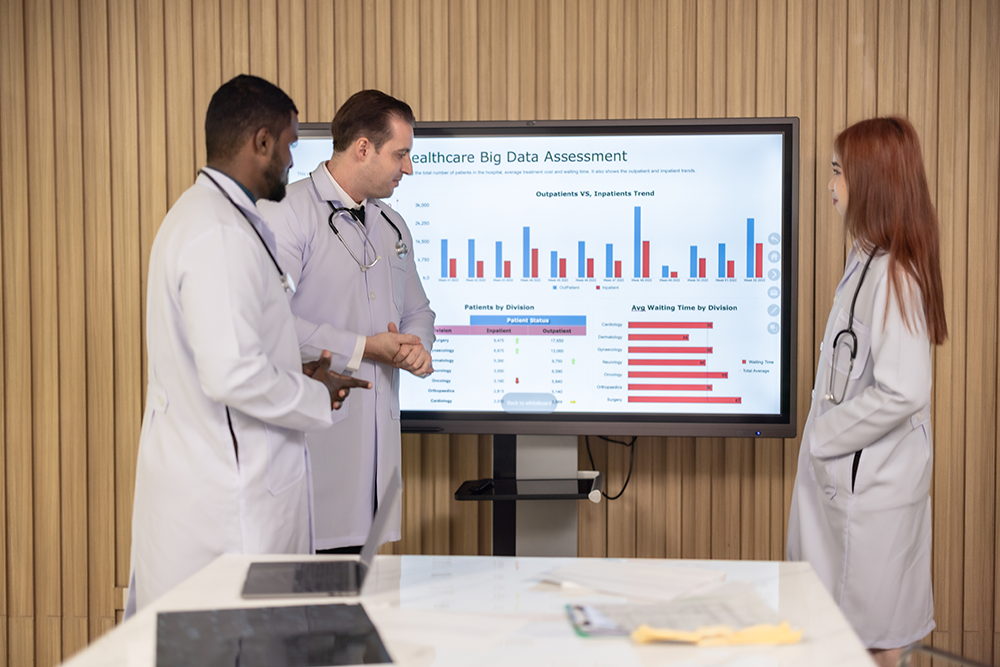
Your EHR contains valuable operational data. Workflow bottleneck identification reports highlight process inefficiencies, while staff productivity metrics reveal efficiency opportunities across your team. Patient flow analytics help optimize appointment scheduling patterns, and no-show prediction tools flag high-risk appointments before they become disruptions. Using these insights allows for targeted process improvements rather than relying on guesswork or anecdotal evidence.
The most powerful operational analytics incorporate both clinical and administrative data, revealing connections between clinical workflows and front-office efficiency. For example, some systems can correlate specific appointment types or providers with longer-than-average checkout times, helping identify where additional support staff might be needed.
Granular timestamp data throughout the patient journey can pinpoint precisely where delays typically occur, whether during check-in, nurse intake, provider examination, or checkout. This precision allows for targeted process improvement rather than generalized efficiency campaigns that might miss the actual bottlenecks.
Getting Started
To uncover these hidden features in your current system, request a "power user" training session from your EHR vendor. Assign specific team members to explore and implement one feature category at a time to avoid overwhelming your staff. Schedule regular team meetings to share discoveries and best practices, creating a collaborative learning environment. The most successful practices make feature exploration an ongoing priority rather than a one-time project.
Consider establishing a digital innovation committee with representatives from different departments who can evaluate potential features through the lens of their specific workflows. This cross-functional approach ensures that implementations benefit the entire practice rather than optimizing one area at the expense of another.
When front office operations run smoothly, both staff satisfaction and patient experience improve. Discovering these overlooked EHR features offers substantial returns on your existing technology investment, often without additional expenditure.